Talking Through My Workday: My Wispr Flow Setup
How I use Wispr Flow (voice dictation mapped to my mouse's middle button, paired with a bone-conduction headset) to get words out faster across every app on my Mac.
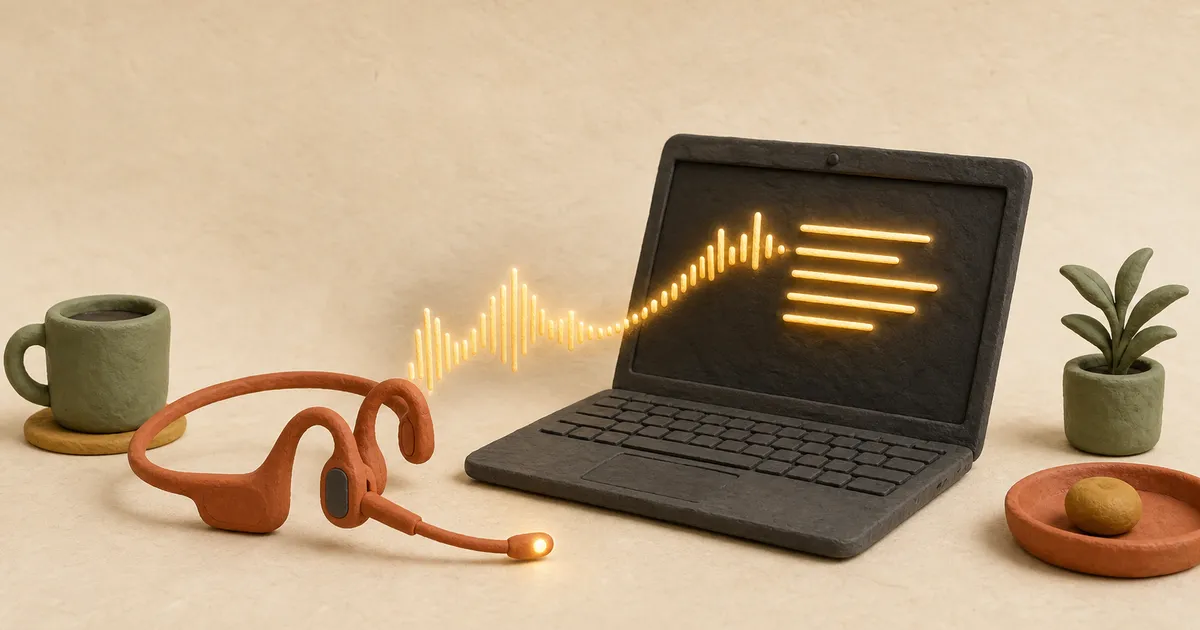
My most productive days are the days I talk the most.
For the last three or four months, most of the words I produce at work haven’t come from my keyboard. They come from Wispr Flow (my referral link), a voice dictation app that runs on top of every other app on my Mac. I hold a button, say what I mean, and cleaned-up text lands wherever my cursor is. (Most of this post started the same way: me talking, not typing.)
I don’t think I’m a slow typer. But I get words out noticeably faster by talking, and it unblocks me. When I know I can just say the thing, I stop stalling on a blank cursor and move between tasks quicker.

Why it beats built-in dictation
Most phones and computers have had some form of talk-to-text for years, and I was tempted to give up on it. Built-in dictation transcribes you literally: every “um,” every “wait, no,” every false start ends up on screen, and cleaning it up eats the time you saved.
There’s a second problem. The dictation that does work tends to be locked inside one app at a time (your email client handles it one way, your notes app another, and plenty of apps don’t do it at all), so you’re always relearning what works where. Wispr Flow runs on top of everything (Slack, my browser, my code editor, a Google Doc) and behaves the same in all of them, so I only ever learn one way to dictate.
The real difference is that Wispr runs your speech through an AI model before it hits the page. A few things it does that the built-in tools don’t:
- Backtrack. If I say “let’s meet Tuesday, actually, make it Wednesday,” it just writes Wednesday. Say “scratch that” and it deletes the false start. I can think out loud and it keeps up.
- Filler and formatting cleanup. It drops the “um”s, adds punctuation, and formats lists on its own. Wispr reports an 80%+ zero-edit rate, and that matches my experience: most of the time I don’t touch what it wrote.
- It learns my words. Names, acronyms, the way I spell things. Correct it once and it remembers (it keeps a personal dictionary).
- It works when I whisper. In a quiet room I can barely make a sound and it still transcribes.
My setup
Two pieces make this work all day.
The first is the trigger. Wispr lets you bind the record hotkey to a mouse button, so I mapped push-to-talk to my middle mouse button (the scroll-wheel click). My hand is on the mouse anyway, so starting a dictation costs nothing: hold the wheel, talk, release. To copy it, go to Settings → General → Shortcuts → Push to talk, click the edit icon, and press the button you want. (Hold it, don’t tap it.)
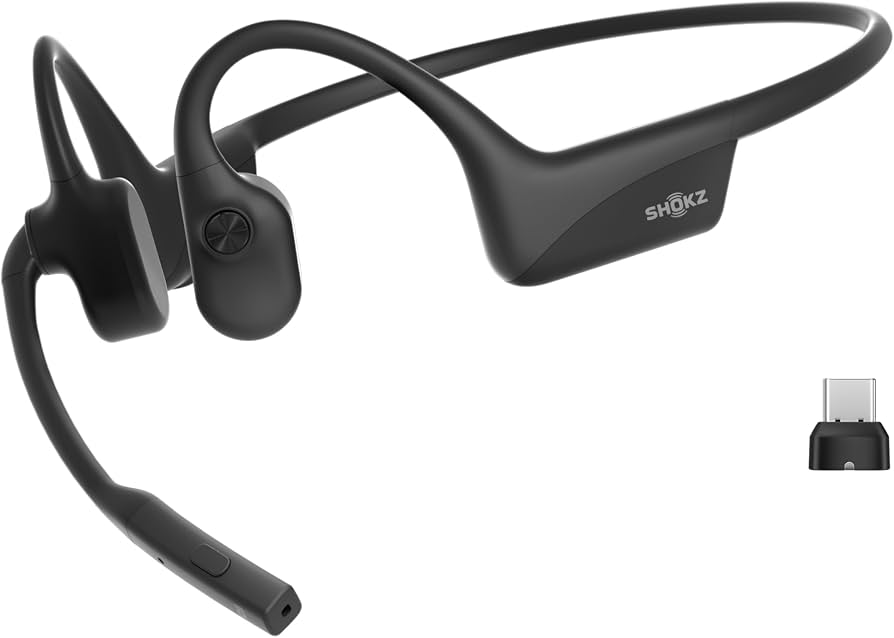
The second is the headset. I use the Shokz OpenComm2 UC (affiliate link), a bone-conduction headset with a boom mic. Bone conduction sits in front of your ears instead of covering them, so I still hear the room, and the boom mic is close enough that the whisper trick actually works. I bought the version with the USB-C dongle so I can pair over Bluetooth or plug the dongle straight into my laptop when I want a rock-solid connection.
What it actually changes
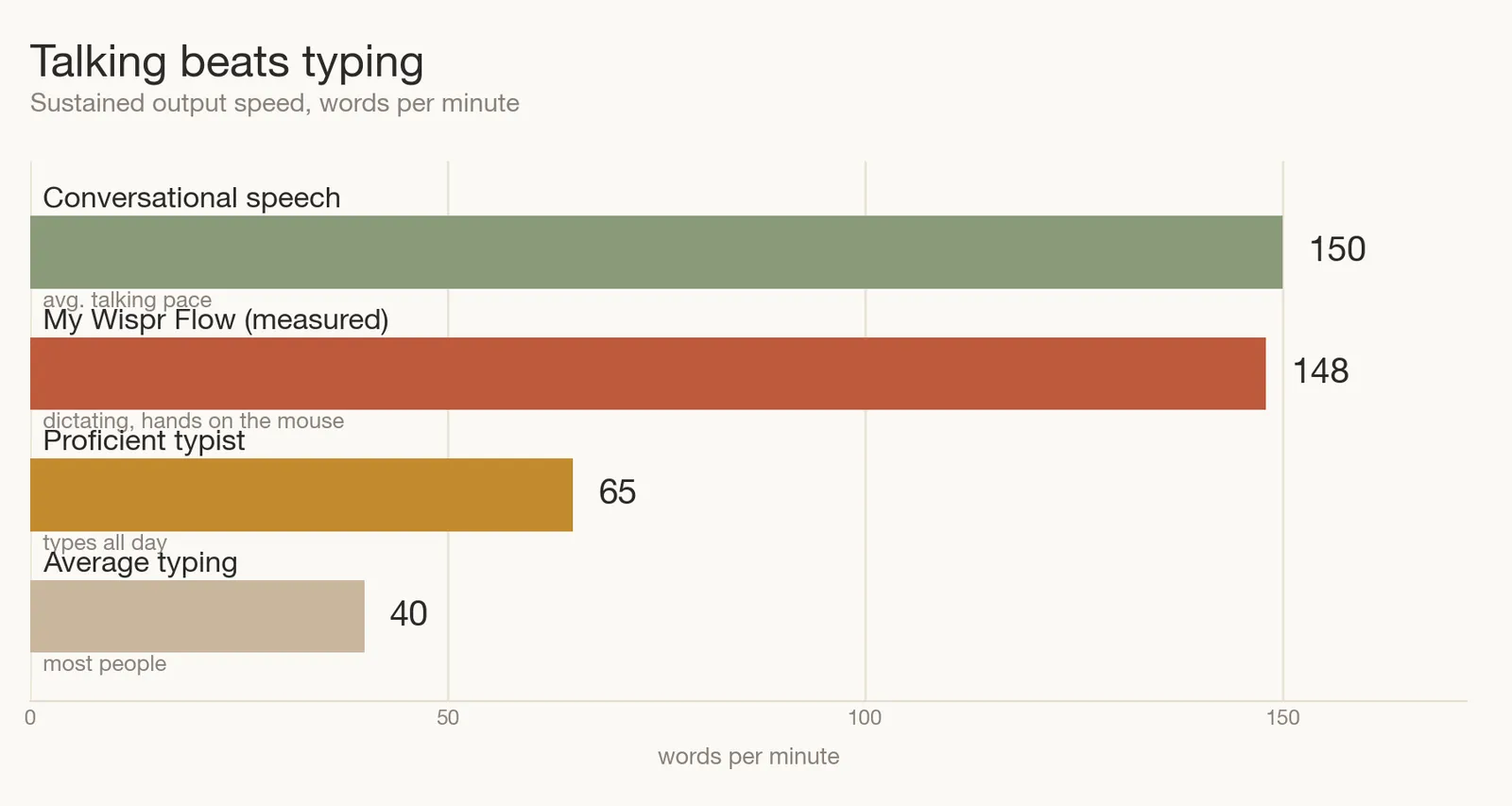
Raw speed isn’t really the point, even though Wispr clocks me around 148 wpm. What changed is smaller and harder to measure: the gap between having a thought and getting it written mostly disappeared.
I fire off Slack replies, draft docs, write commit messages, and rough out posts like this one by talking. On my best days I’m barely aware I’m doing it, and those are reliably the days I get the most done. I didn’t expect a dictation app to change how my work feels, but it has.
Try it
If you want to try it, here’s my referral link again. Full disclosure: it’s a referral, so if you sign up and stick with it, you get a free month and so do I. I’m sharing it because I use this every day, not the other way around. Grab a decent mic, map it to a button under your finger, and give it a week.