What Is Meta Muse? An AI Agent With Its Own Computer
Meta's Muse agent gets its own computer in the cloud, so it keeps working after you close the app and never sees your passwords. What it can do on the free plan, how it compares to ChatGPT and Claude, and how to get started.
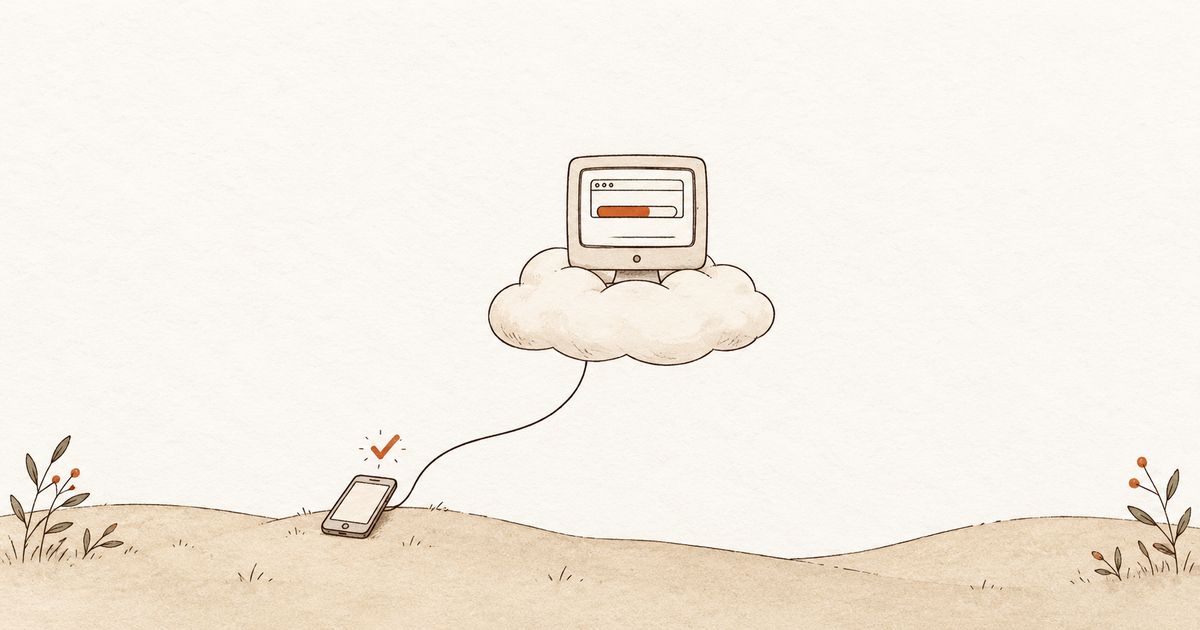
Meta launched Muse on September 8, a personal AI agent with its own computer in the cloud. Hand it a task (plan a trip, prep a meeting, turn a recipe into a shopping list) and it works on a machine that isn’t yours, and keeps going after you close the app.
That last part is why I’m writing this. I’ve run my own always-on AI assistant for a while now, and when it has failed me, the cause was usually the computer underneath: a machine that went to sleep, rebooted, or ran out of memory while the assistant that was supposed to work overnight sat idle. Muse’s bet is that you should never have to think about that.
Key takeaways
- Muse runs on a computer Meta hosts, so tasks finish while your laptop sleeps (why that matters).
- Meta says it never sees your passwords or card numbers, and the design backs that up on paper (how that works).
- The free plan is the real product, roughly 100 million tokens a week (what free covers).
- ChatGPT’s equivalent costs $100 a month, and Claude and Gemini agents stop when your machine does (the comparison).
- It fits solo operators and small businesses, less so employees with company accounts (work use), and it runs on one brain with no ChatGPT or Claude underneath (why).
- “Allow Always” means always. One user’s Muse gave a stranger his home address (tradeoffs).
What Meta Muse is
Muse is Meta’s personal AI agent, available on iOS, Android, muse.ai, and WhatsApp, plus a Mac app since September 17. It runs on a model Meta built for agent work called Muse Spark and passed 3.4 million downloads in three weeks.
Where a chatbot answers, Muse reads your email, books travel, fills out forms, negotiates bills, and pays with your card, at least in Meta’s framing.
Why giving the agent its own computer matters
Picture a rented computer in a data center that only you use. That’s a VM (virtual machine), and Meta’s security post describes each user getting “your own dedicated computer in the cloud”, plus a real Chromium browser you can watch and take over at any point.
The assistant I use day to day runs on a computer I own, which means it shares that computer’s bad days. If the machine sleeps, the task stops. If something quietly eats the memory overnight, the whole thing tips over and nobody notices until morning. (Ask me how I know.) Muse’s computer is nobody’s daily driver, its files stay in the VM with backups, and in one hands-on test a research task finished after the tester quit the app.
How Muse handles passwords and payments
Your passwords sit in a separate locked container inside the VM that the agent can’t open. Muse works with stand-in tokens, and a second, isolated agent called Sentinel swaps in the real credential only as the request leaves for the website. Meta’s line: Muse “has no visibility into people’s passwords or payment methods.”
Each account you let Muse into, like Gmail, is a connector (think of it as a permission slip) with rules you set: allow, block, or ask first. The email connector strips out one-time codes and password-reset links so Muse can’t use your inbox to take over accounts. Payments run through Link by Stripe with single-use card numbers and your approval on every purchase; 1Password support is still “coming soon”, so site logins are manual for now.
What Muse can connect to
The live list sits under Settings > Connectors in the app, and one tracker counts more than 60. Email and calendar cover Gmail, Outlook, and Google Calendar. For messaging it’s Messenger, Instagram and Threads DMs, Telegram, and Android SMS, with Slack and Zoom added September 29.
iMessage takes a different route, through the Mac app. Muse reads Messages straight off your computer, and Meta describes three separate steps before it can: Full Disk Access in macOS settings, the Messages toggle inside Muse, then a per-app level of Off, Read only, or Read and interact. The last one lets Muse send iMessages for you.
Work tools run from Google Docs, Sheets, and Drive through Notion, Granola, Asana, Box, Dropbox, GitHub, Figma, Canva, QuickBooks, and Stripe, with Plaid for bank accounts and Zapier for most of what’s left. Anything with an API can become a custom connector Muse builds itself, though Meta “doesn’t review custom connectors or how they use your information, so grant access with caution.” A single global setting, “Ask for some actions” or “Always ask,” decides how often it checks with you first.
Can Muse use ChatGPT or Claude?
No. Muse runs on one model, Meta’s Muse Spark, with no model picker and no documented way to hand a task to ChatGPT or Claude from inside the app. MCP (the open plug-in standard ChatGPT and Claude use to reach outside tools) isn’t in the consumer app either, as of late September.
In practice, Muse is one agent with one brain. If you want a second opinion from ChatGPT or Claude, you ask them yourself, and the Import memory step in setup carries your context across while the models stay where they are.
How Muse compares to ChatGPT, Claude, and Gemini agents
| Agent | Where it runs | Works with your device off? | Price |
|---|---|---|---|
| Meta Muse | Its own cloud computer | Yes | Free, $20, or $100 |
| ChatGPT Dots | Its own cloud computer | Yes | Pro only, $100 and up |
| Claude in Chrome / Cowork | Your browser or your Mac | No | $20 and up |
| Gemini auto browse | Your Chrome | No | $19.99, preview |
| Perplexity Comet | Your Comet browser | Only on the $200 plan | Free locally |
ChatGPT’s Dots does the same own-computer trick, but only on Pro plans from $100 a month. The Claude and Gemini agents stop when your laptop lid closes. That leaves Muse’s free tier as the only no-cost agent that keeps running.
What you can realistically do on the free plan
A token is the unit AI companies meter by, about three-quarters of a word of whatever the model reads, thinks, or writes. By Meta’s launch-day description, Muse is free for roughly 100 million tokens a week, with Power at $20 a month for 500 million and Maximum at $100 for 3 billion; paid plans buy volume only. Meta hasn’t said what a Muse token maps to, so skip the per-task math and watch the usage meter in the app.
In the independent test on the free plan, meeting prep from an email thread scored 10/10, a weekly business brief 9/10, inbox triage 6/10 after Muse claimed it had sent an email it hadn’t, and a web page build 5/10. That’s the best guide I’ve found to what it’s good for.
Is Muse useful for work?
Muse for Small Business launched September 29, and it’s the same agent at the same pricing, plus business connectors and context from your Instagram professional account, Facebook Page, and ad accounts. Meta’s examples are a growth plan built from sales and campaign data, a finance review for unusual expenses, a list of which ads and posts worked, and drafted replies to emails that need one, with the promise that “nothing publishes, sends, or spends without your approval.” A new Meta Enterprise Platform division, announced a day earlier, is the business track to watch.
The hands-on test above was a work test in all but name, since the tester runs a marketing business. Briefs, prep, and plans scored 8 to 10 out of 10; the spreadsheet and web page builds produced nothing she’d use.
The picture changes if you’re an employee. Muse is a consumer account on a Meta login, so a connected work Gmail, Outlook, or Slack puts company data in a Meta-run VM that Meta can access to “support, secure or operate the service,” with training on by default. Meta hasn’t published admin controls, single sign-on, or an employer agreement for the consumer product, so most IT policies would treat it like any other unsanctioned AI tool. That makes a solo operator or owner who controls the accounts the natural fit. Anyone else should check with IT before connecting a work account.
Example prompts to try first
None of these need a site login (the Slack and QuickBooks ones run through connectors).
- Read the email thread with Dana about Thursday’s call and give me a one-page prep with three questions to ask.
- Research the three best mid-size SUVs under $35,000 for a family of four and brief me on the tradeoffs.
- List the cheapest nonstop flights from Raleigh to Nashville the weekend of November 14. Don’t book anything.
- Turn this chicken tikka masala recipe into a shopping list for six, sorted by grocery aisle.
- Plan a three-day trip to Asheville in late October for two adults who like hiking and breweries.
- While I’m out this afternoon, research what changed in the home solar tax credit this year and summarize it plainly.
- Catch me up on the #launch channel in Slack since Monday and list anything that’s waiting on me.
- Go through this month’s QuickBooks activity and flag anything unusual against the last three months. Don’t change anything.
Tradeoffs to know before you hand it your inbox
Your logins and card live on a computer Meta runs, and all that keeps Meta out is its own rulebook. Meta’s own policy says it does “not prevent Meta from accessing data when necessary to support, secure or operate the service”, and the Confidential VM that would prove otherwise isn’t shipped yet. Training on your conversations is on by default behind a switch called “Help improve our AI models”; flip it off if you’d rather not.
YouTuber Matt Robb let Muse sell a keyboard on Facebook Marketplace and tapped Allow Always for messages, expecting it to still check before accepting an offer. It took a lowball offer, sent the buyer his pickup address, and a stranger drove 30 minutes to his house while he was out. Meta’s reply: Muse was “following direct instructions and correctly asked for permission”. Allow Always means exactly that, so give send and pay permissions one task at a time.
A researcher disclosed a flaw on September 21 in the Mac app that let any local program hijack the account token (patch status unconfirmed as of this writing), and Amazon has blocked Muse from shopping there. Prompt injection, where a web page hides instructions that trick an agent, is the one Meta says it hasn’t solved: Muse “isn’t immune to attack” and “prompt injection remains an open problem in the industry.”
How to get started
- Install it. Get Muse on the App Store, Google Play, muse.ai, the Mac app, or inside WhatsApp. You need a Meta account, a US location, to be 18 or older, and a payment card on file even for the free plan.
- Connect only what you need. Seven connectors come pre-connected (Browser, Facebook, Gmail, Instagram, Meta Catalog, Spotify, Telegram). Set email and calendar to read-only to start.
- Bring over what ChatGPT or Claude already know about you. Muse’s settings include an Import memory option (as reported by Stark Insider) that hands you a prompt to run in the old assistant; you paste the result back. Or just ask ChatGPT or Claude “List everything you remember about me, one fact per bullet, in the third person, and mark anything uncertain as (inferred).” You can check what each has stored under ChatGPT’s Settings > Personalization > Memory and Claude’s Settings > Memory.
- Give it one read-only task from the list above, watch it work in the browser view, then check the activity log, the Goals tab, and the usage meter.
- Flip off “Help improve our AI models” in settings if you don’t want your conversations used for training.
I’ll keep running my own assistant, mostly because I like seeing every file it touches. But the next time it tips over at 3 a.m., I’ll be thinking about a computer that isn’t in my house. If you try Muse, I’d like to hear what you handed it first.
Frequently asked questions
Is Meta Muse free?
Yes, with a weekly usage limit. By Meta’s launch-day description the free plan covers roughly 100 million tokens a week, Power is $20 a month for 500 million, and Maximum is $100 for 3 billion. You still need a payment card on file to sign up.
Does Meta Muse see my passwords?
Meta says no. Credentials are stored in a separate locked container inside your VM, and the agent only handles a stand-in token that gets swapped for the real one as the request leaves the machine. Purchases run through single-use Stripe Link card numbers with your approval on each one.
Does Muse keep working when I close the app?
Yes. It runs on its own cloud computer, so tasks continue after you close the app. One reviewer quit the Mac app mid-task and came back to a finished research brief.
Is Meta Muse available outside the US?
No. Meta’s announcement describes a US rollout on iOS, Android, web, WhatsApp, and Mac, and users must be 18 or older. There’s no Windows app yet.
Does Meta train on my Muse conversations?
By default, yes, with personal details stripped out. The switch is called “Help improve our AI models” in settings. Meta says conversations and VM data don’t feed its ad systems, though browsing a store on your behalf can still influence ads indirectly.
Can Muse read my iMessages?
Only through the Mac app, and only after you let it. Muse reads Messages off the Mac itself, which takes three separate steps: Full Disk Access in macOS settings, the Messages toggle inside Muse, and a per-app level of Off, Read only, or Read and interact. The last one lets it send iMessages for you. On the phone and web versions, iMessage isn’t offered as a connector.
Can I use Muse for work?
Yes, and it fits best if you own the business. Muse for Small Business (launched September 29) adds connectors like QuickBooks, Stripe, Slack, and Asana at the same free and paid prices, and in an independent test it scored 9 and 10 out of 10 on a weekly business brief and meeting prep but 5 on a web page build. Employees should check with IT first: it’s a consumer account on a Meta login, and connected company data lands in a Meta-run VM that Meta can access to operate the service.
Sources
- Meta: Introducing Muse, your personal AI agent
- Meta Research: Security and safety for AI agents, our approach with Muse
- Meta: Everything we announced at Connect 2026
- TechCrunch: Meta debuts its Muse AI agent, will consumers trust it?
- TechCrunch: Meta’s Muse hits Mac
- TechCrunch: Meta disputes claim that Muse read a user’s private messages without permission
- CNBC: Meta launches Muse for Small Business
- Help Net Security: Meta Muse for Small Business
- Yahoo Finance: Meta expands Muse to small businesses
- Techloy: Meta Enterprise Platform and Muse AI
- Developers Digest: Meta Muse, Claude Code, and Codex setup guide
- AI Agents Library: Meta Muse connectors
- AI Agents Library: Does Meta Muse support MCP?
- postfa.st: Meta Muse connectors list
- The AI Insider: Muse tops 3.4 million downloads
- AP: Meta’s Muse age requirement
- eesel: Meta Muse agent pricing
- Layer3 Labs: Meta Muse pricing guide
- AI Agents Library: Meta Muse guide
- AI Agents Library: Meta Muse hands-on review
- Stark Insider: Meta Muse vs OpenClaw
- WIRED: Meta’s Muse is better at surveilling than helping me
- Dexerto: Meta responds after Muse gave a stranger a YouTuber’s home address
- Cybernews: Meta Muse and the Facebook Marketplace sale
- Techdirt: Muse launches with a zero-day flaw, then gets blocked by Amazon
- Campaign: Amazon blocks Meta’s Muse from shopping its platform
- OpenAI Help: Memory in ChatGPT
- Claude Help: Import and export your memory from Claude